The act window
What opens when you click an act anywhere in the console: the header band, the stat strip and the six tabs (Overview, Reach, Shows, Listen, Contact & Booking, AI), with a picture of each.
Opening it, and what is always on screen
Click an act's name anywhere in the console (a search result, a row on a report, a chart bar, a venue's calendar, a project row) and its window opens over the page. Escape or the ✕ closes it; the page behind keeps its scroll and its filters.
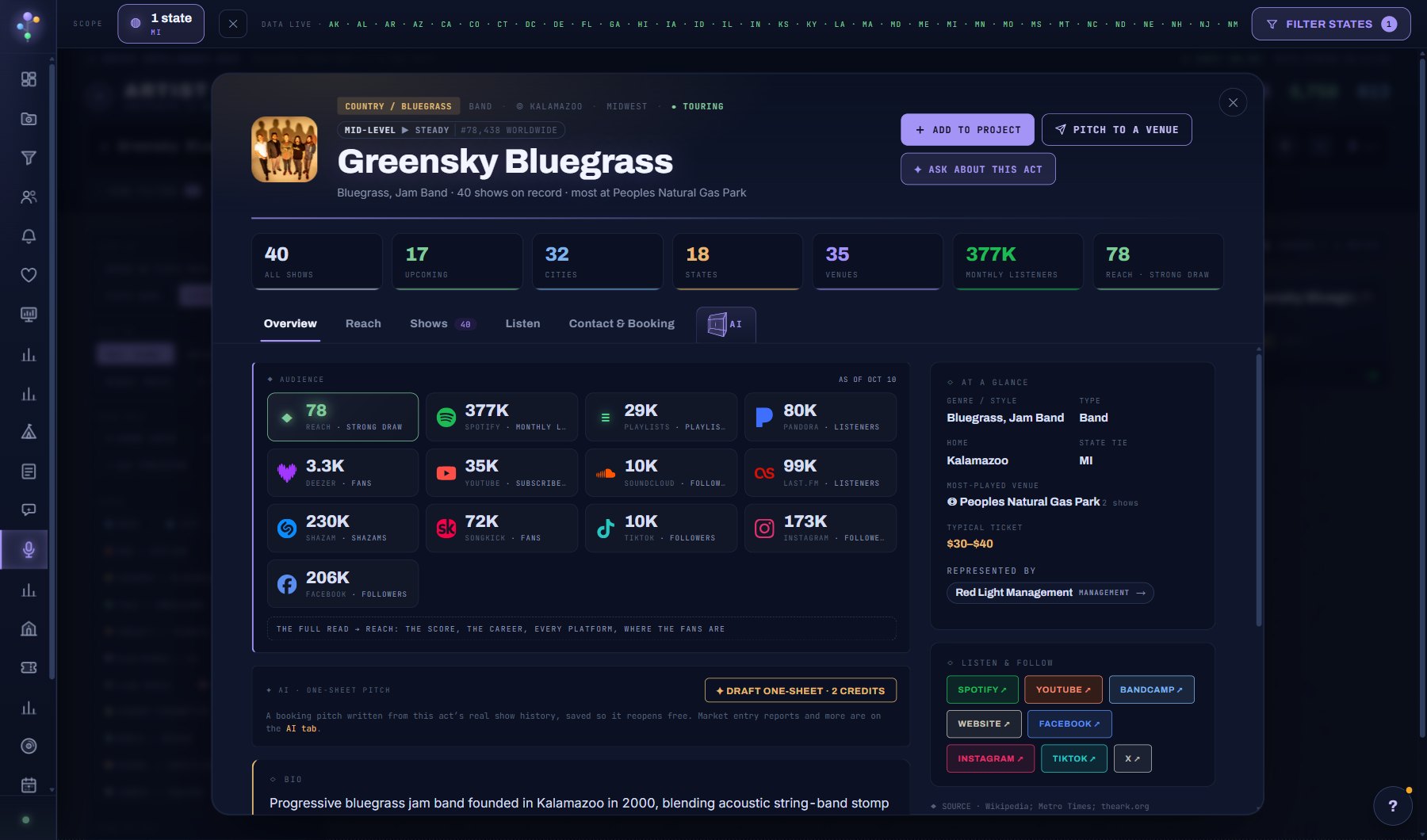
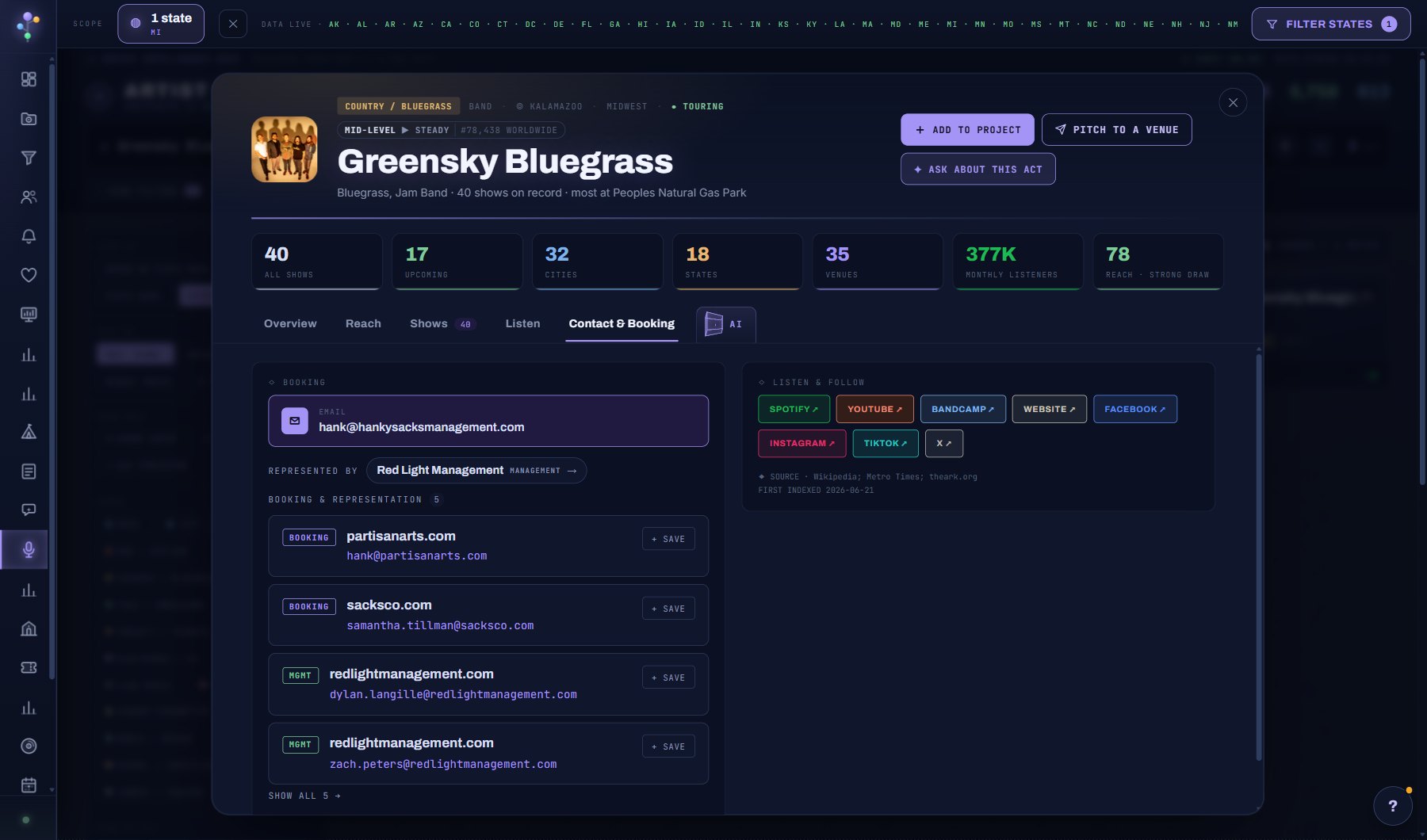
The header band never changes while you move between tabs: the act's picture, its genre chip, its type, home town, region and whether it is touring, its name, and a line that says how many shows are on record and where it plays most. Under the name, a career chip (the stage, the momentum arrow and the world rank) when Cultivate has the act's streaming record.
Three buttons sit at the right: + ADD TO PROJECT (into the project you are working in, or a picker), PITCH TO A VENUE (opens a deal for this act), and ✦ ASK ABOUT THIS ACT (the AI Assistant with this act's record in front of it).
The stat strip is seven counts: all shows on record, upcoming, cities, states, venues, monthly listeners and the Reach score with its band. They are the same whichever tab is open.
The pictures in this guide are the window on Artist Search, where it carries the most. The act window on other screens (a chart, a report, a project) is the same window with the same tabs.
Overview
The audience grid first: Reach, Spotify monthly listeners, playlist reach, Pandora, Deezer, YouTube, SoundCloud, Last.fm, Shazam, Songkick, TikTok, Instagram and Facebook, each a tile with the figure and what it counts, dated AS OF. A line under the grid sends you to the Reach tab for the full read.
Then the AI one-sheet pitch card (DRAFT ONE-SHEET, 2 credits; a saved one reopens free) and the bio.
The right column is At a glance (genre and style, type, home, state tie, the venue the act has played most, the typical ticket, and who represents it, with a link to the agency's page) and Listen & follow (Spotify, YouTube, Bandcamp, the website and the socials).
Reach
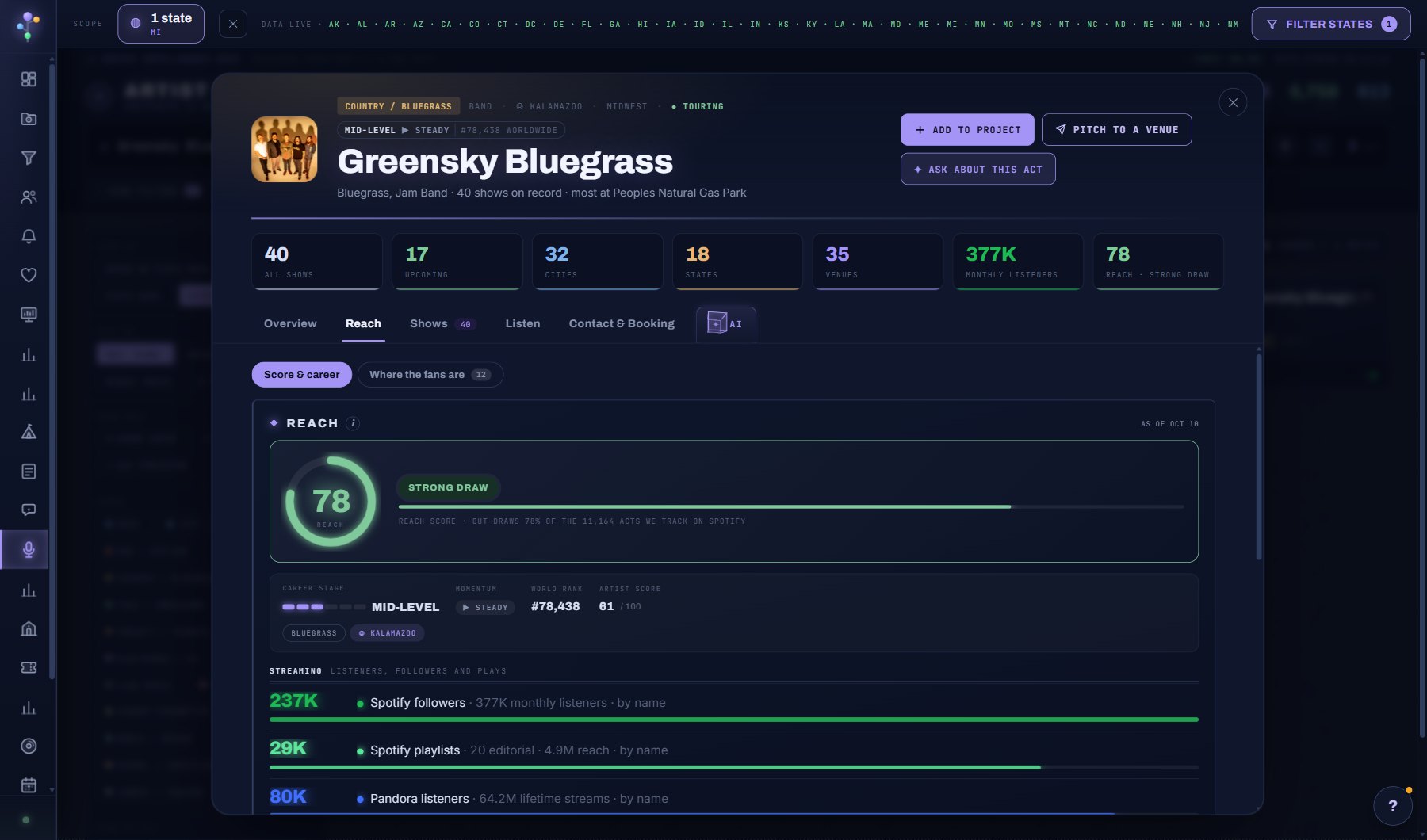
The audience read in full. Two views: Score & career and Where the fans are.
Score & career opens with the Reach ring (0 to 100, with its band: Strong draw here) and one sentence saying how many of the acts Cultivate tracks on Spotify this act out-draws. Under it the career strip: stage (Undiscovered to Legendary), momentum (growth, steady, decline), world rank and the artist score, then the act's genre and home chips.
Then every platform as a bar: streaming (Spotify followers and monthly listeners, playlists, Pandora), social, and the rest, each with its figure and how it was matched (by name or by link).
Where the fans are lists the cities where the act's listeners are, tied to the markets Cultivate covers, with the gap rows marked: a city full of listeners where the act has not played.
Shows
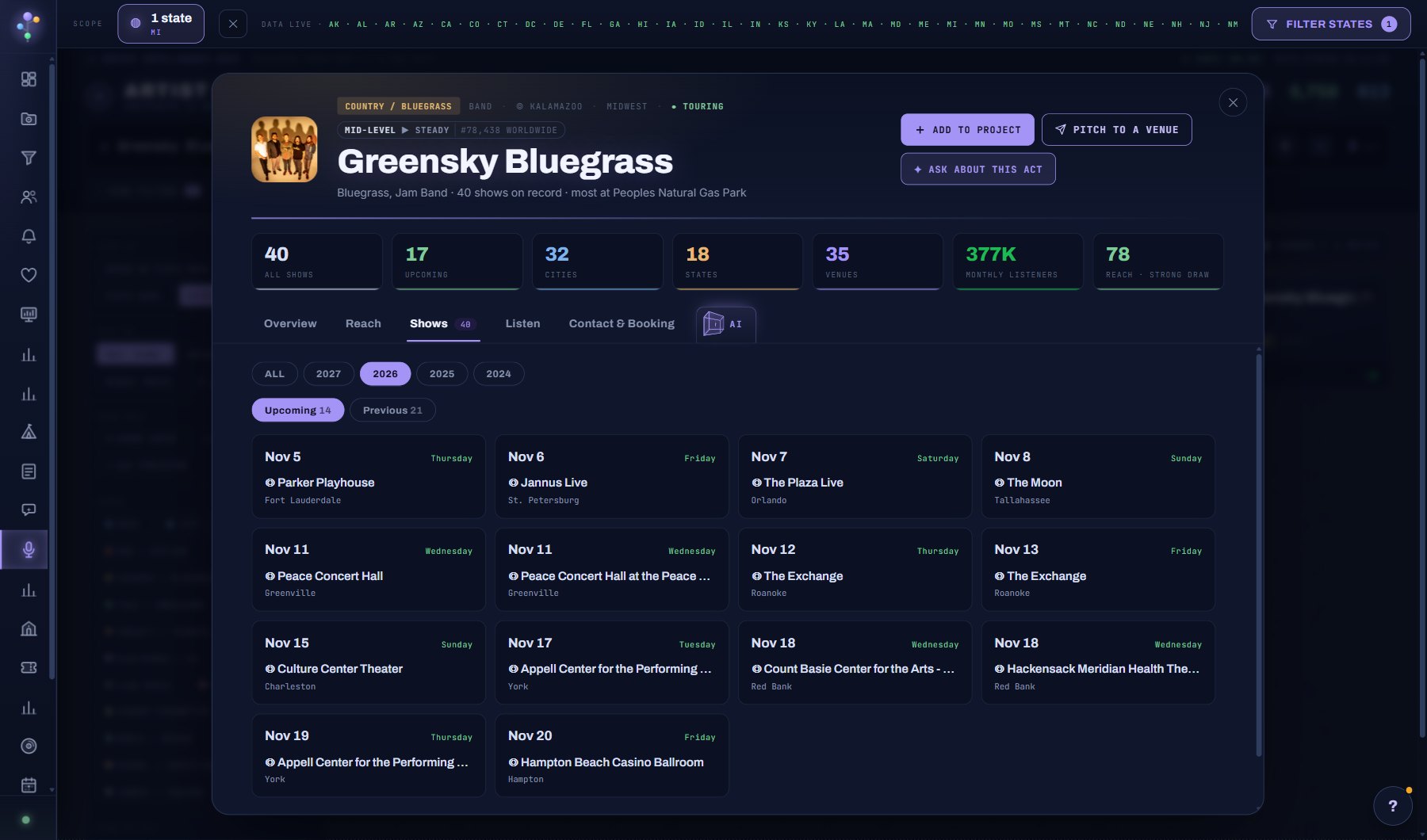
Every show on record for the act, as date cards: the day, the weekday, the venue and the city. Year chips narrow the list (ALL, or one year), and Upcoming / Previous split it, each with its count.
Click a venue name to open the venue window on top; Escape brings the act back.
The list is the whole record, whatever states are in your filter: the scope narrows the lists on a screen, never an act's own window.
Listen
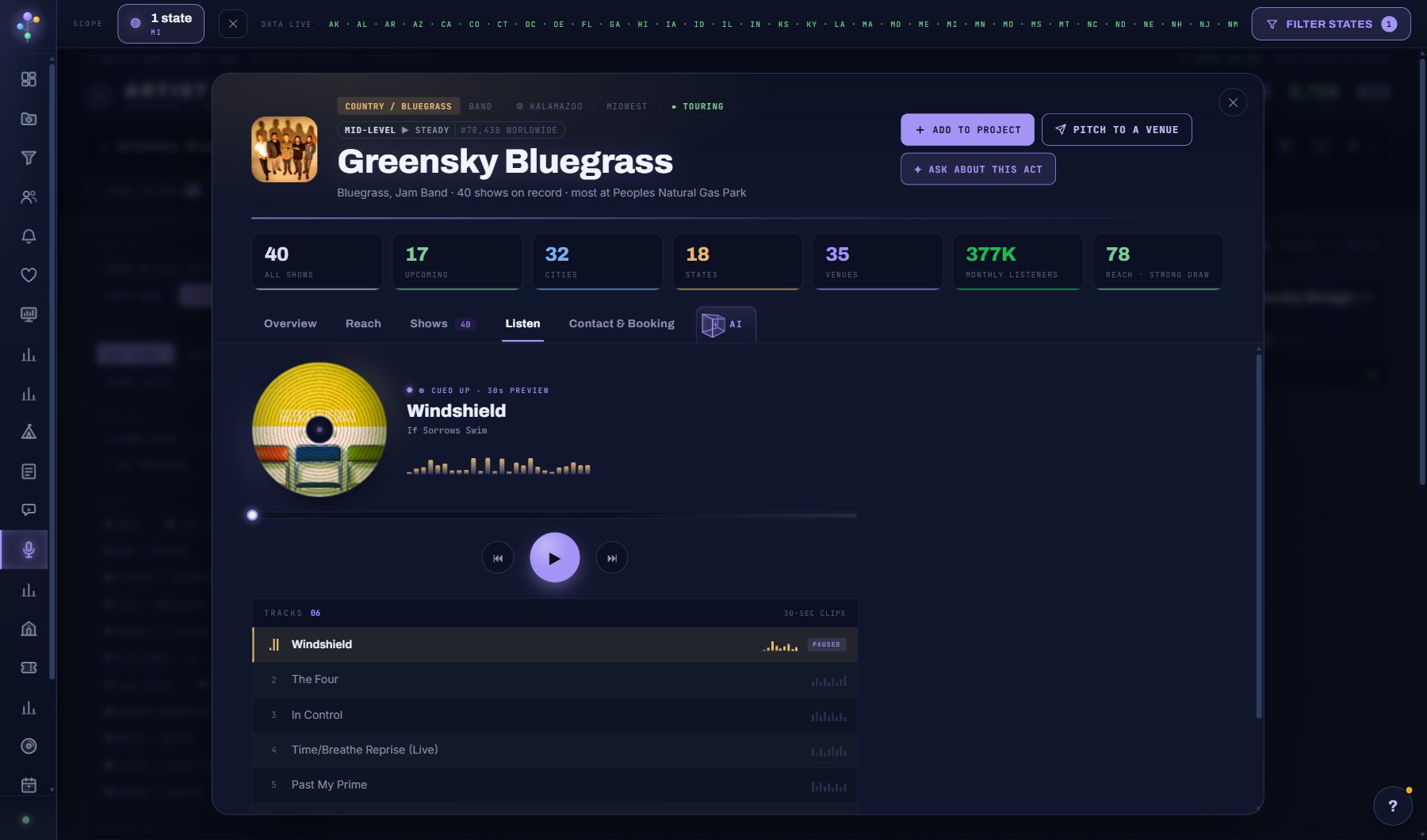
A player with the act's top tracks as 30-second previews: the artwork, the cued track and its album, a waveform, previous / play / next, and the track list with its clips. Nothing plays until you press play, and closing the window stops it.
When Cultivate has no preview for the act, the tab says so and the Listen & follow links on Overview take you to the platforms.
Contact & Booking
The booking line on file (the email Cultivate holds for the act) at the top, then who represents the act, then every booking and management contact found: the role chip (BOOKING, MGMT), the domain and the address, each with + SAVE to put it in your Contacts. SHOW ALL opens the rest.
Listen & follow repeats the platform and social links, with the sources the record was built from and when it was first indexed.
A contact you save appears on your Contacts page and on every project the act is in.
AI
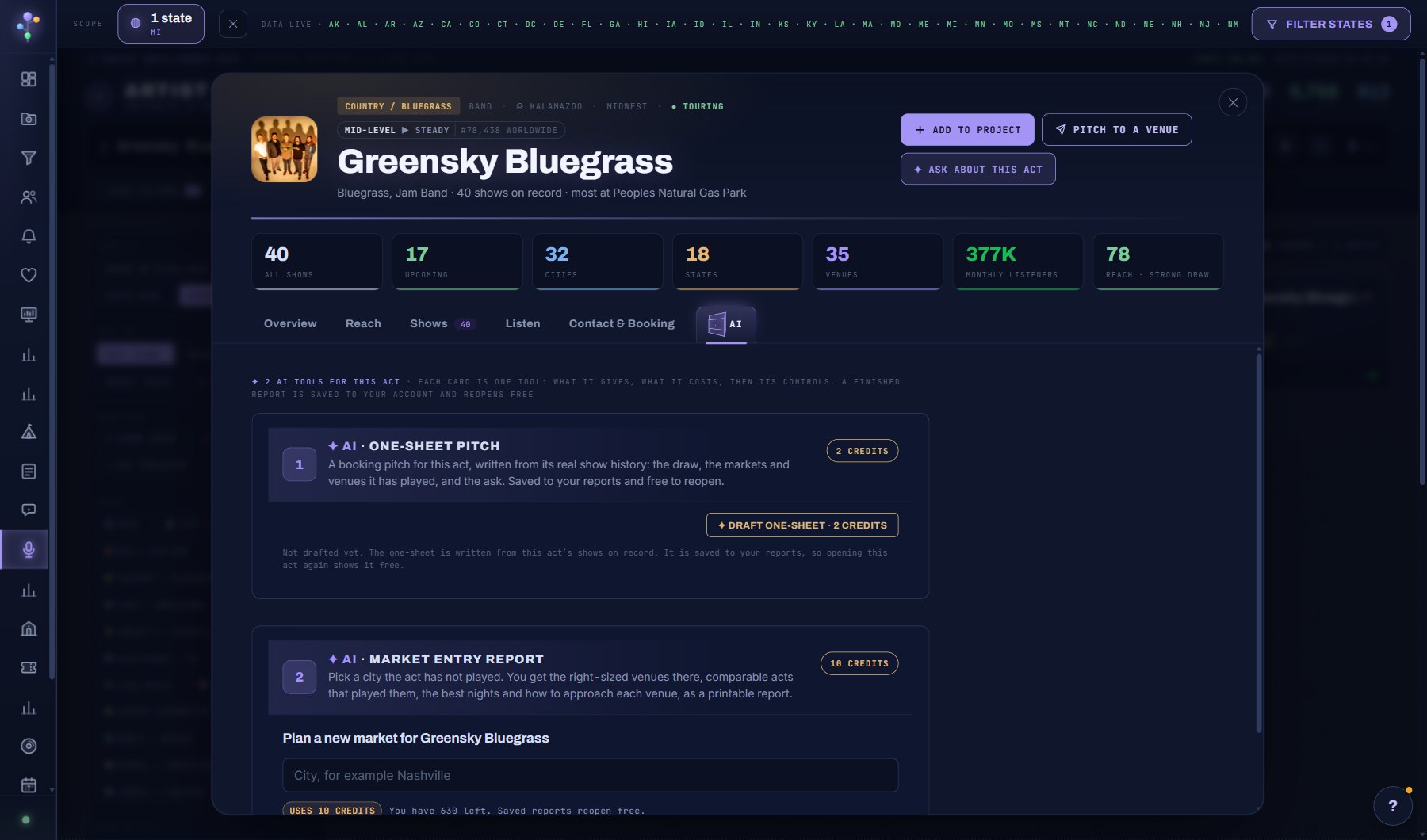
The AI tools for this act, one card each: what it gives, what it costs, then its controls. A finished report is saved to your account and reopens free.
One-sheet pitch (2 credits): a booking pitch written from the act's real show history: the draw, the markets and venues it has played, and the ask.
Market entry report (10 credits): pick a city the act has not played; you get the right-sized venues there, comparable acts that played them, the best nights and how to approach each venue, as a printable report. The card shows how many credits you have left.
Saved reports for this act are listed under the cards. The ✦ ASK ABOUT THIS ACT button in the header is the free way in: the assistant answers from the record without a report.
Where to find it
In the console: Discover > Artists. Press ? on that screen for the short version, or open the screen if you are signed in. The screen's own page: Artist Search.