Guide / Planning
Tour Planner
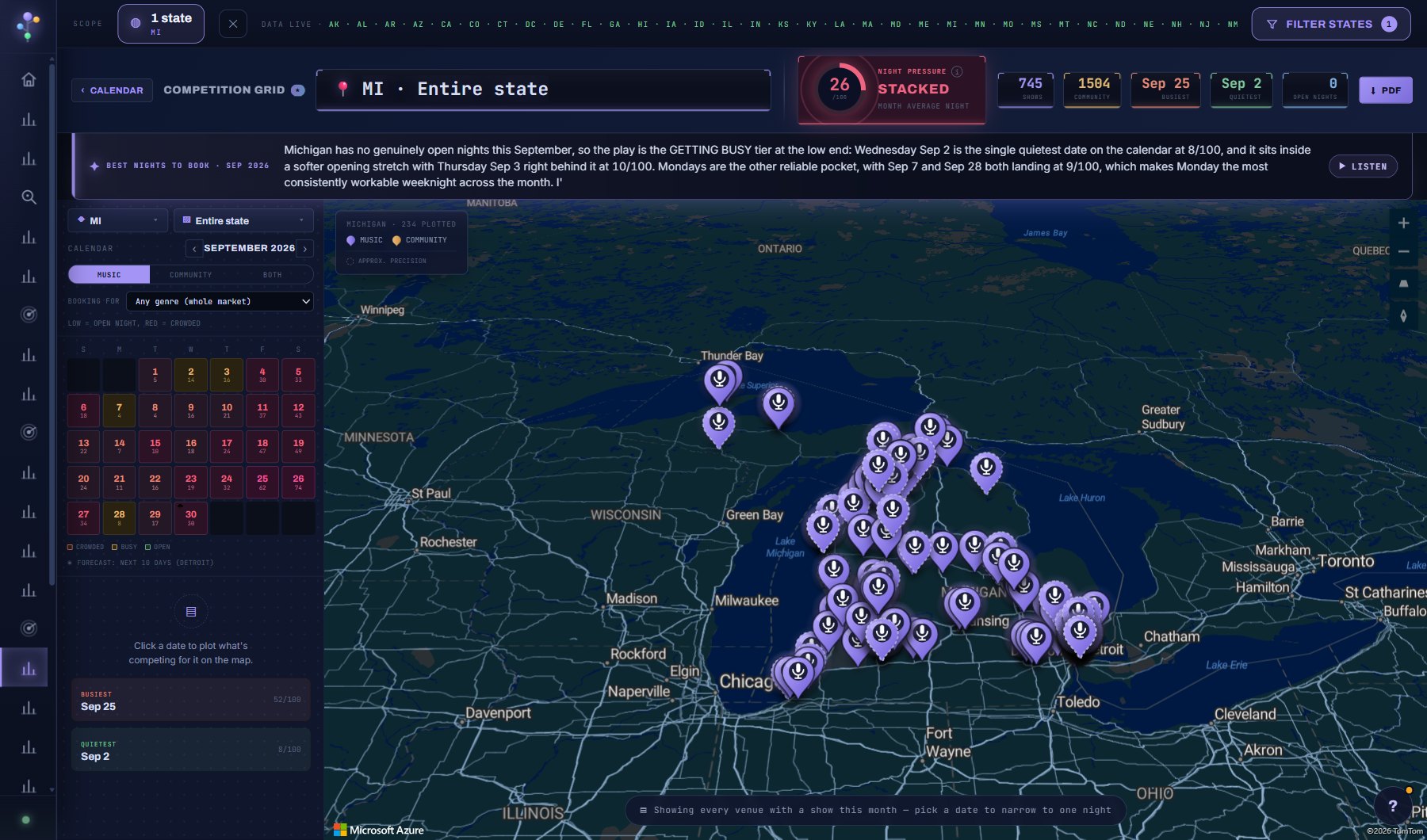
Route a tour: stops with real drive times, the right-sized venues in every city ranked by how much of your genre they book, Night Pressure on every date, crew and day sheets, budget and weather, and your AI Assistant as the tour architect.
WherePlanning > Tour Planner
PlanEvery plan
AI on this screen3 metered actions
Learn it4 tutorials
Tutorials for this screen
Create a tourBuild a tour with the four-screen wizard: name it, add cities, date the stops, and pick a venue for each show. About ten minutes.Step by step · 10 minutesWatch a flight on a tourPut a crew member's or an act's flight on a tour stop, watch it, and choose who hears when it is late, cancelled or lands. About five minutes.Step by step · 5 minutesBuild a tour with your AI AssistantDescribe the tour in a sentence and let your AI Assistant propose the stops, then accept the ones you want, apply its order and dates, and keep asking. About ten minutes.Step by step · 10 minutesSend day sheets to the crewPut the crew on the tour with their emails, fill a stop's day sheet, send it as a phone page, and let the tour send tomorrow's sheet by itself every evening. About ten minutes.Step by step · 10 minutes
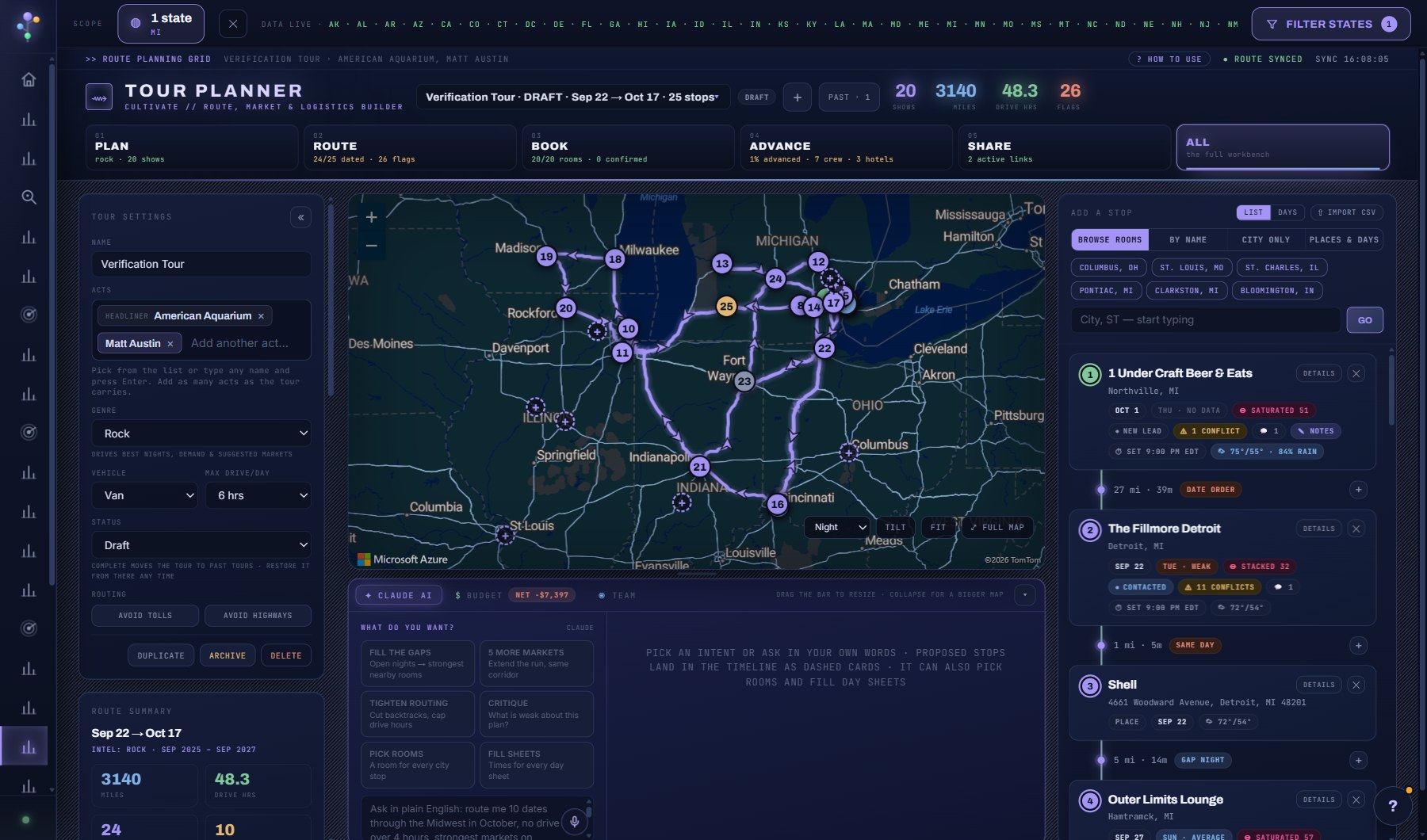
What is on the screen
- The header: the tour switcher, + for a new tour, SHARE & EXPORT, and the stage bar PLAN, ROUTE, BOOK, ADVANCE, SHARE and ALL.
- The map with numbered pins and the real drive between them, and the itinerary with one card per stop: its night, Night Pressure, status, venue and Fit.
- The panels: CREW & ROLES, TOUR SETTINGS (acts, genre, vehicle, drive limit, FLIGHT ALERTS), budget and weather.
- The AI ASSISTANT panel under the map with its six prompts, and the dashed cards its proposals land as.
- A stop's DETAILS: the SHEET with schedule, venue, running order, contacts, guest list and merch, lodging, TRAVEL and ADVANCE tabs, and PHONE VIEW.
Try this
- Create a tour with the wizard, add your acts, then add cities. The venues in each city rank themselves by your genre.
- Ask the architect to fill the gaps or tighten the routing. Every proposed stop lands as a dashed card you can accept or undo.
- Open any stop's day sheet with Phone view. It is a phone page with times, the venue, the weather and directions.
- Find a crew member's flight on a stop's SHEET, TRAVEL tab: type the flight number and LOOK UP, or pick the city they fly from, the airport, the airline and the flight. Only airports with airline service are listed, flights landing on a show day are marked IN TIME or AFTER LOAD-IN, and + ADD FLIGHT fills the travel row. Enter it by hand instead for trains and anything else.
- Watch a flight (the WATCHING chip on its travel row) and the tour hears when it is late, cancelled, diverted or lands, or when a delay means missing load-in: a banner at the top of the tour, a row in Dashboard, Needs attention, the phone day sheet's YOUR PICKUPS, and email. TOUR SETTINGS, FLIGHT ALERTS sets what to alert on, who hears about it, and quiet hours. A cancelled flight offers FIND ANOTHER FLIGHT on the same route and day. ✈ FLIGHT PATH on a watched flight's row opens a map of where the plane has been and is (the route between the airports, the trail flown, the plane pointing the way it flies) with altitude, speed, heading and the landing time under it, refreshed every three minutes while open.
AI on this screen
Tour Planner AI10 CREDITS
Act and venue fit2 CREDITS
Advance email polish2 CREDITS
The cost is on the button before you press it. Reopening a saved report is free, and nothing is charged for an error or an empty answer. See AI credits.
Plan
Every plan. Sending day sheets to crew, team discussion and pitch or management share links are part of Professional. See plans and seats.
Related screens
Where to find it
In the console: Planning > Tour Planner. Press ? on any screen for this guide inside the console, or open the screen if you are signed in.