Guide / Research
Streaming
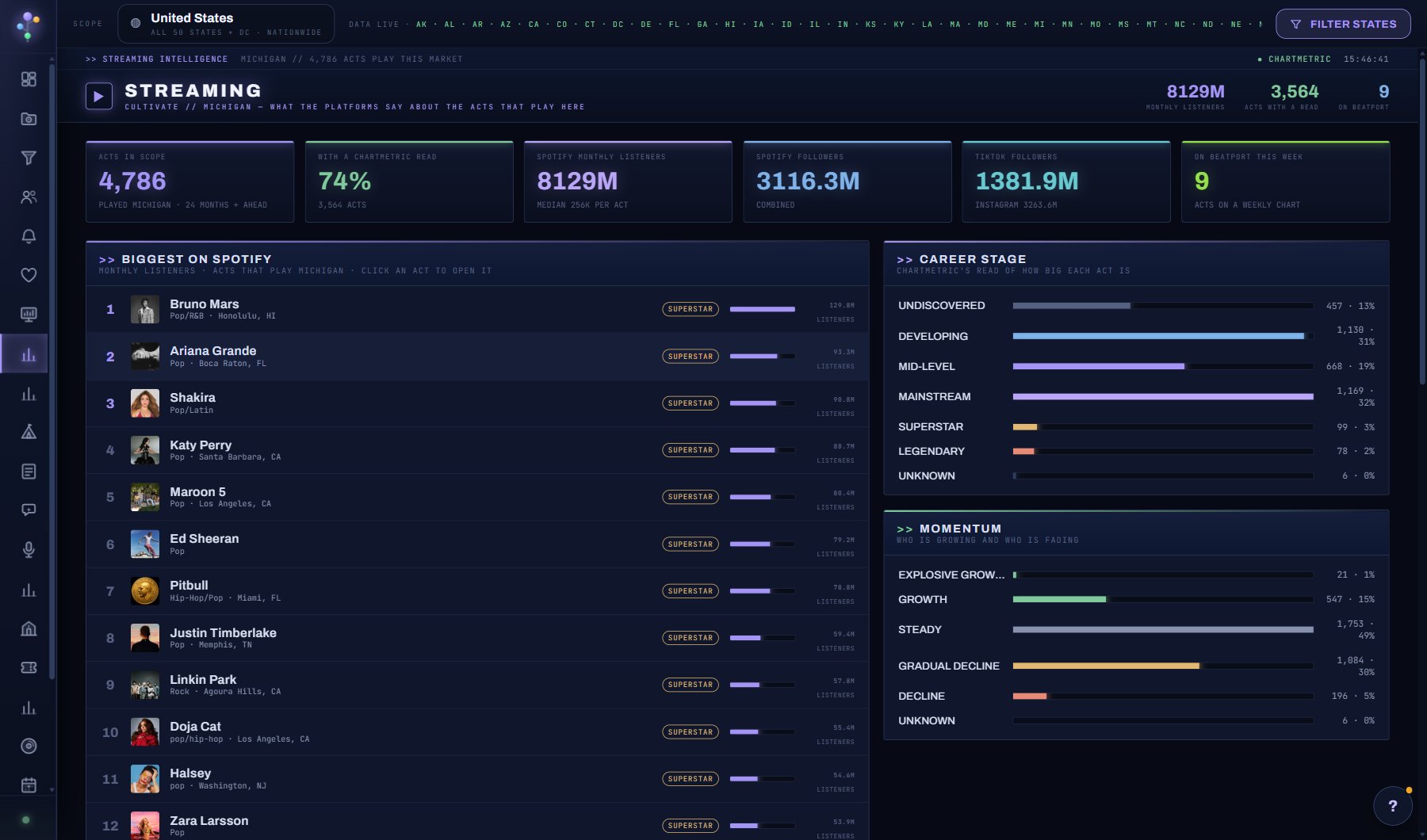
How the acts playing your scope are doing on the streaming and social platforms, from Chartmetric: Spotify monthly listeners and followers, TikTok and Instagram followers, career stage (developing, mid-level, mainstream, superstar) and momentum. The acts counted are the ones with a show in the scope's states in the last 24 months or ahead. Movers shows who gained or lost the most since the last monthly reading.
WhereResearch > Streaming
PlanEvery plan
AI on this screenNone: everything is computed
What is on the screen
- Tiles for the scope: how many of its acts are on record with Chartmetric, and where the listeners sit.
- Lists by platform: Spotify monthly listeners and followers, TikTok and Instagram followers, career stage and momentum.
- Movers: who gained or lost the most since the last monthly reading.
- An act's Reach box in its window: every platform figure, the career stage and where its listeners are.
Try this
- Set the scope to one state and read the tiles: how many of its acts are on record with Chartmetric, and where the listeners sit.
- Open an act from a list for its Reach box: every platform figure, the career stage and where its listeners are.
- Check Movers after the monthly refresh: an act climbing fast is worth a pitch before its fee follows.
- Compare two states by switching the scope: a bigger pool of mainstream acts means more competition for the same nights.
AI on this screen
No AI on this screen. Everything here is computed from the data and costs nothing.
Plan
Every plan. See plans and seats.
Related screens
Where to find it
In the console: Research > Streaming. Press ? on any screen for this guide inside the console, or open the screen if you are signed in.