Guide / My Work
Alerts
What changed for the venues and acts you follow: new shows, new dates, listings that vanished. Summarised by kind, by entity and by week, with an AI-written briefing on top.
WhereMy Work > Alerts
PlanProfessional and Enterprise
AI on this screen1 metered action
What is on the screen
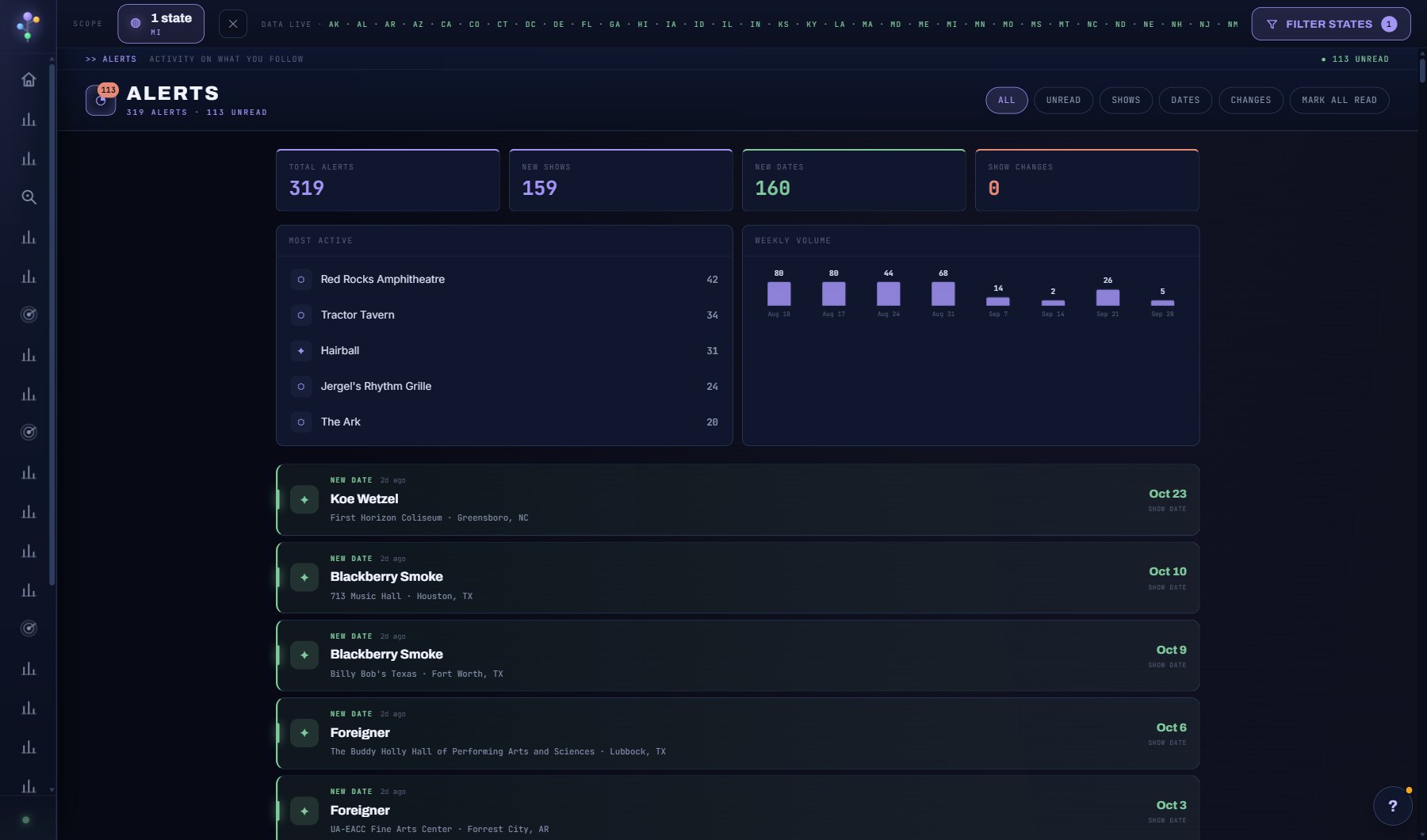
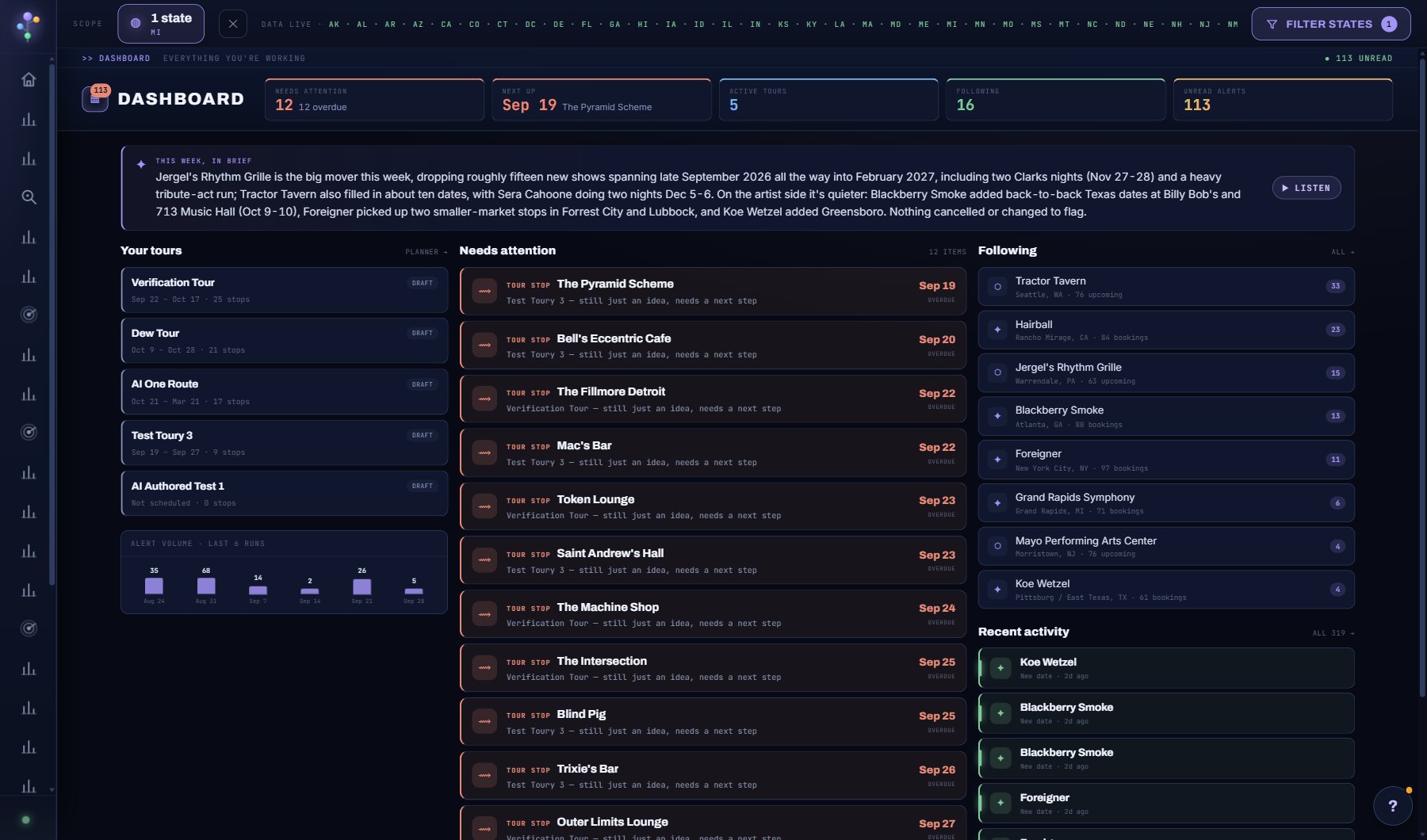
- Your reminders at the top: tour stops that need a venue or an answer, deal tasks, deals gone quiet, with DISMISS and RESTORE.
- The AI briefing, the summary numbers and Most Active: the venue or act generating most of the noise.
- The alerts by kind, entity and week, each with DELETE, and CLEAR READ at the top right.
Try this
- Read the briefing first; it says what actually matters this week.
- Use the Most Active panel to spot one venue generating most of the noise.
- Delete an alert with the DELETE button on its row (on the Dashboard's Recent activity too). A deleted alert does not come back and is not emailed.
- Press CLEAR READ at the top right to delete every alert you have already read in one go (it asks first).
- Your reminders (tour stops that still need a venue or an answer, deal tasks, deals gone quiet) lead the page. Press DISMISS on one to hide it, here or on the Dashboard; the stop or deal is untouched, and the reminder comes back by itself if it changes.
- Press RESTORE in the "N dismissed" line under your reminders to show every dismissed reminder again.
- Manage the weekly digest email from your Account page.
AI on this screen
Dashboard briefing1 CREDIT
The cost is on the button before you press it. Reopening a saved report is free, and nothing is charged for an error or an empty answer. See AI credits.
Plan
Professional and Enterprise. See plans and seats.
Related screens
Where to find it
In the console: My Work > Alerts. Press ? on any screen for this guide inside the console, or open the screen if you are signed in.