Beatport
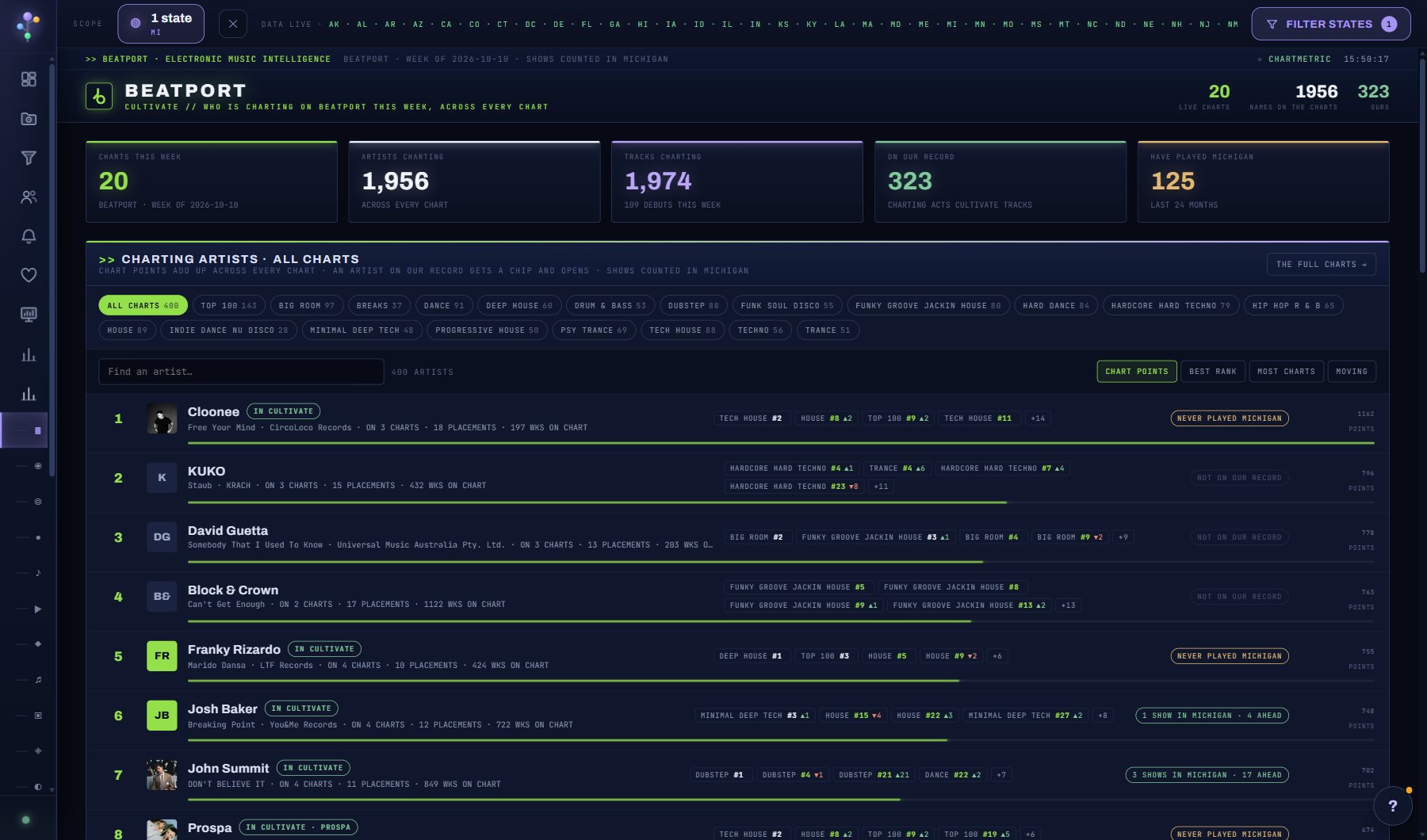
Who is charting on Beatport this week, across every one of its charts: the Top 100 and the genre charts (techno, tech house, house, drum and bass, dubstep, trance and the rest). An artist's chart points add up across every placement, 101 minus the rank each, so the list ranks the electronic scene as a whole rather than one chart. Pick a chart chip to rank on that chart alone. An artist on our record gets an IN CULTIVATE chip with their shows in the scope, and opens. The charts are loaded weekly; a chart Beatport has retired is named at the foot of the list.
What is on the screen
- The Beatport Top 100 and every genre chart, scored together as chart points, or one chart alone from its chip.
- Sort by Most charts, by points or by rank on the chosen chart.
- IN CULTIVATE chips, green for acts that have played your scope and amber for the ones that never have.
- The link to the full charts, track by track, at the top right.
Try this
- Sort by Most charts for the acts across several genres at once: they draw more than one crowd.
- Pick a genre chip that matches your venue and read the top of that chart alone.
- Green chips are charting acts that have played your scope; amber ones never have, which makes them the pitch list.
- The full charts, track by track, are one click away at the top right.
AI on this screen
No AI on this screen. Everything here is computed from the data and costs nothing.
Plan
Every plan. See plans and seats.
Related screens
Where to find it
In the console: Research > Charts > Beatport. Press ? on any screen for this guide inside the console, or open the screen if you are signed in.